Ways to use Pong
Pong is for any time your agents are working and you're not watching them. A few examples of what that looks like.
While you work in other apps
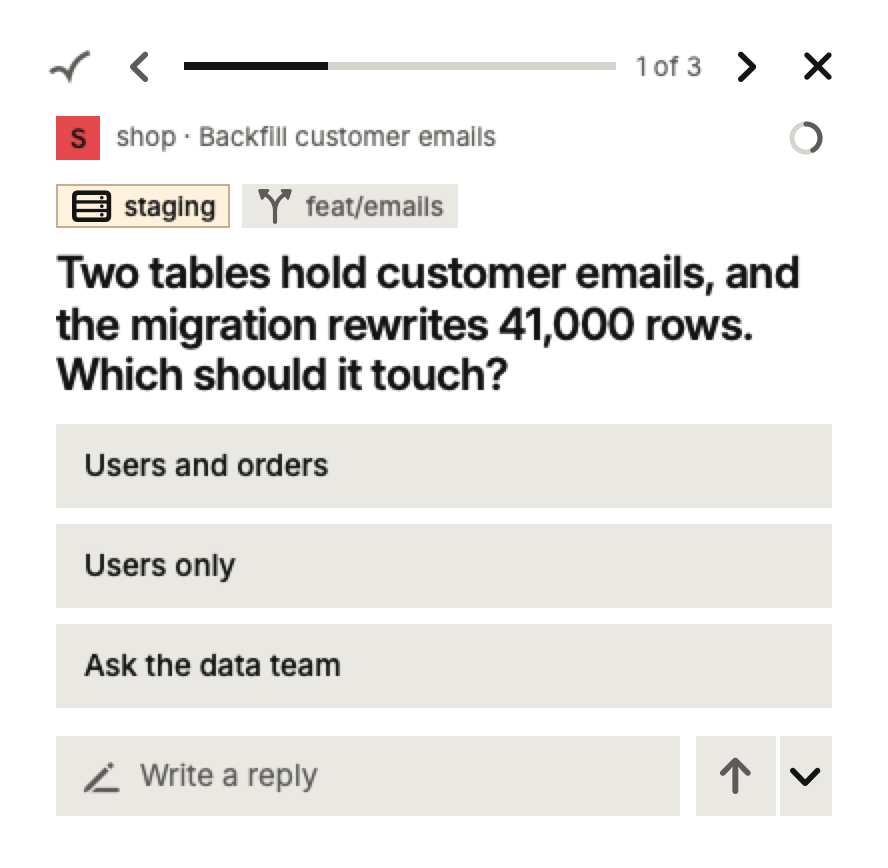
You're writing a document or reviewing a spreadsheet while Claude Code backfills customer emails in the background. It finds the emails in two tables and wants to know which ones to touch.
The card slides in at the corner of your screen. You read the question, click Users only, and you're back in your document. You never switched windows, and the agent lost maybe ten seconds instead of the twenty minutes until you'd have checked on it.
While you watch something
You've set an agent off on a long job and put on a video while it runs. When a Ping arrives you hear a short sound, and the card shows up in the corner of the screen.
If the question can wait, click the cross to hide the card. The Ping keeps waiting, and the Bar shows how many are waiting so you can come back to them when the episode ends.
Away from your desk
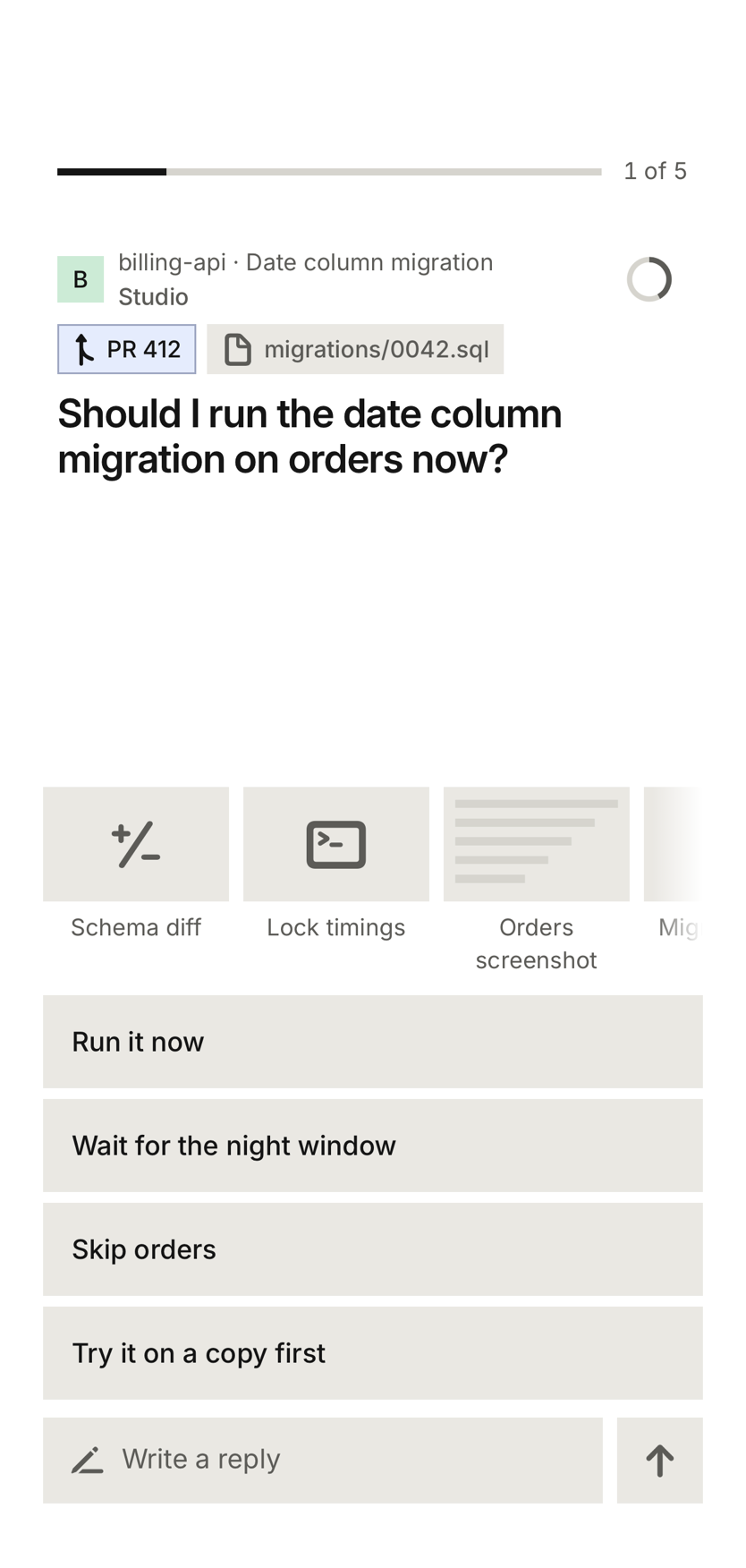
You're out at lunch, or on the train home. Two agents are still going on your desktop. One has a database migration ready and asks whether to run it now. With Pong Cloud, the question arrives on your phone as a notification, with the schema change and lock timings attached so you can check them first.
You tap Wait for the night window. Your desktop gets the answer and the agent carries on. If your computer was asleep, your answer waits and is delivered when it wakes.
With agents on several computers
You have an agent on your laptop, another on a desktop at home and a third on a Linux server. Without Pong you'd check three places. With Pong, every Ping from every computer comes into one Queue, and each one says which project and which computer it came from.
Checking a plan before work starts
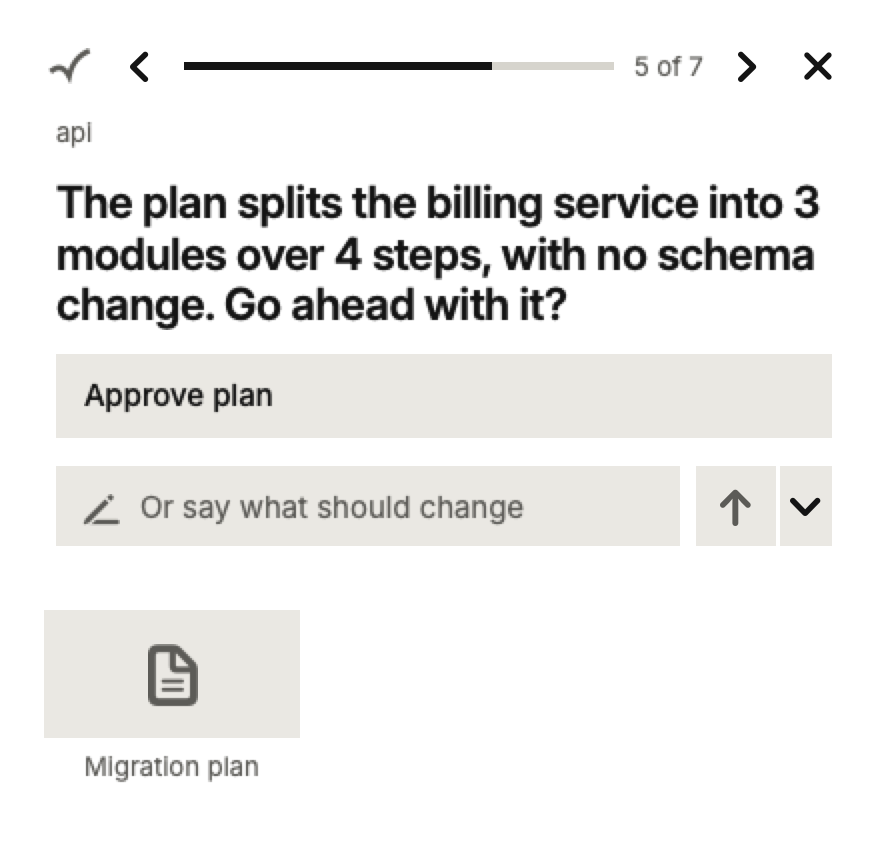
Before a big change, an agent can send you its plan to approve. The plan comes attached to the Ping as a document. You open it, read it, and approve it or send back what to change. Answers that are hard to undo, like deleting data or emailing customers, are marked so you notice them.
With your hands busy
You're cooking, or sketching on paper. Turn on voice in Settings and Pong reads each Ping aloud on your Mac. Say “the first one” or “yes”, and Pong shows what it understood before it sends, so you can stop it if it heard wrong.
Starting work from anywhere
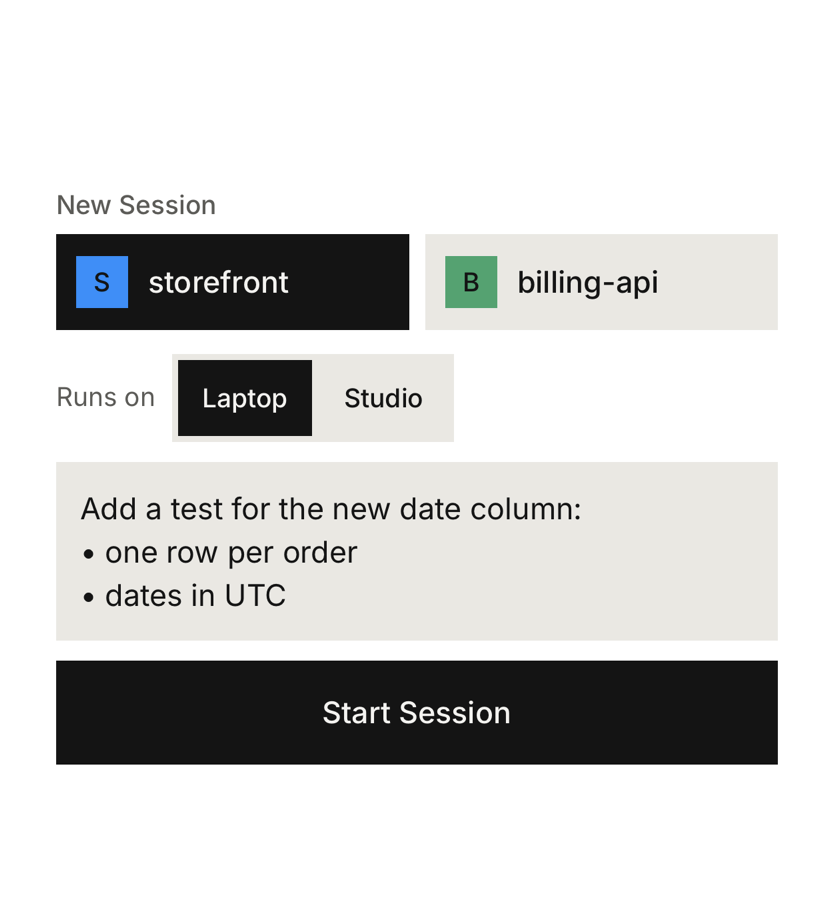
An idea comes to you away from your desk. Open the start sheet on your phone, pick a project, type what you want done, and Pong starts a new Session on whichever of your computers can take it. The agent's questions come back to you as Pings.