Pings and Pongs
A Ping is one thing an agent needs from you. A Pong is your answer. Everything else in Pong is built around these two.
What's in a Ping
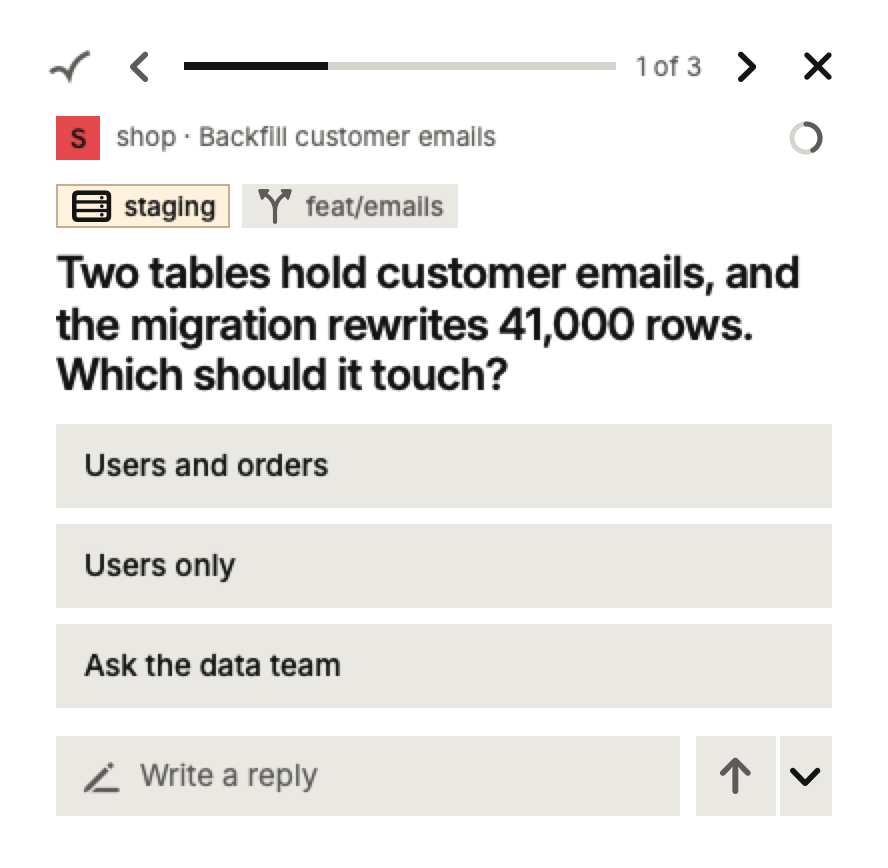
Each Ping is meant to be answerable without opening the agent. Along with the question, it shows:
- The project and computer it came from, and the Session's title.
- Tags, which say what kind of Ping it is (a design question, a command to approve) or what it touches, such as a branch or an environment.
- Answers to pick from. Hover over the question to see why the agent is asking and what each answer leads to.
- Anything the agent attached for you to look at: a plan, a screenshot, a code change, slides, a sheet, an error.
- A small ring that fills up as the agent's memory gets full, so you know when a fresh start would help.
Kinds of Ping
- A question. One question per Ping. If an agent has five, you get five Pings, one after another.
- A plan or action to approve. The plan comes attached as a document. Answers that would be hard to undo are marked.
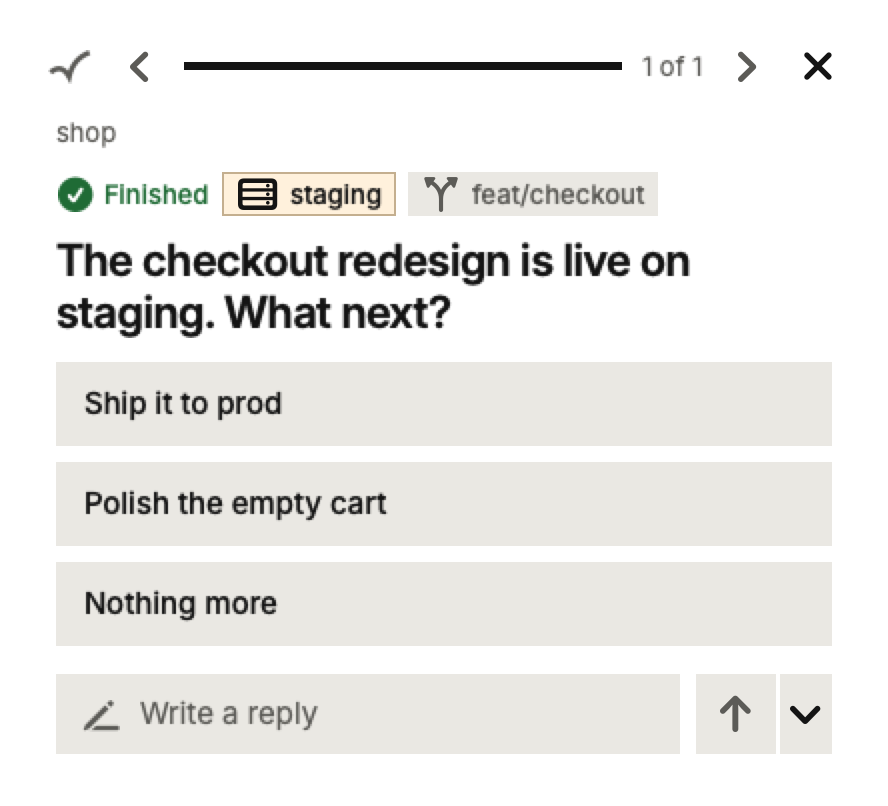
- Finished work. The agent says it's done, with a green check. Its answers are the next steps it suggests, like committing the work. Nothing more lets it stop there.
- A Note. News that needs no answer. You read it and dismiss it.
Answering
Click an answer to send it. Where the agent lets you pick several, tick them and press Send. You can always type instead, or as well: whatever you type goes with the answers you picked.
Half-typed answers are kept. If you close the card, move to another Ping or quit Pong, your words are there when you come back.
Choosing where your Pong goes
The arrow beside Send gives you more choices:
- Send to this Session is the usual one: the agent carries on where it was.
- New Session with this Pong starts a fresh agent in the same project, handing it your answer and what it needs to know. Handy when the current one's memory is nearly full.
- Answer in the Harness instead hands the question back to Claude Code or Codex, so you can answer it there.
The Queue
Waiting Pings from every computer line up in one Queue. The card shows one at a time, with arrows to move through the rest; on the phone, swipe left and right. When you answer one, the next takes its place.
When a Pong can't be delivered
If an agent can't take your Pong, for example because its Session was closed, the Pong comes back to you marked in red. Choose Send again to try the same Session, or start a new Session with it. Pong never drops an answer quietly.