Threads and Sessions
Each conversation with an agent is a Session. Pong gives every Session a Thread, so you can see what it asked, what you said and what it's doing now.
A Session's Thread
Open the Threads list from the Bar, or from the Threads button on your phone. Each row shows a Session's project and whether it's working, waiting on you or finished.
Open one and you see its Pings and your Pongs in order, with what each had attached. Between them are Thoughts: one-line notes the agent writes as it works, such as “Found the slow query in the orders report.” A Thread isn't the agent's full transcript, just the parts that matter to you.
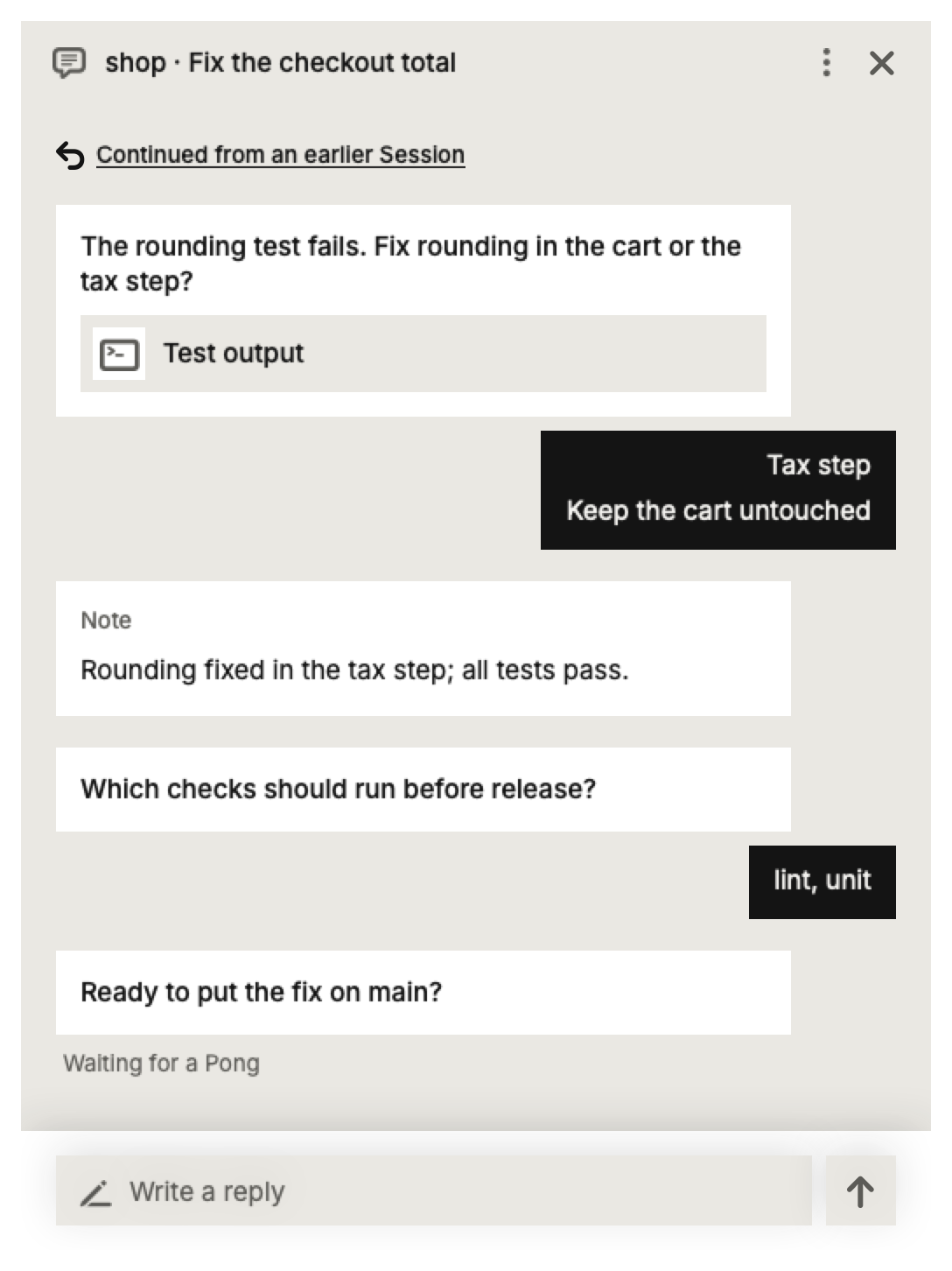
Sending a follow-up
When an agent has finished, type in the box at the bottom of its Thread to give it more to do, like “also update the README”. The Session picks up where it left off, with everything it already knew, and you never had to open it.
Stopping an agent
While a Session is working, its Thread has a Stop button. Stop ends the turn the agent is in, at its next step. The Session stays open, and what it already did isn't undone, so you can tell it what to do instead.
Starting a new Session
Press New Session on the Bar, or the start button on your phone. Pick a project, type what you want done, and Pong opens a Session in your agent tool on a computer that can take it. If you have more than one computer, you can choose which.
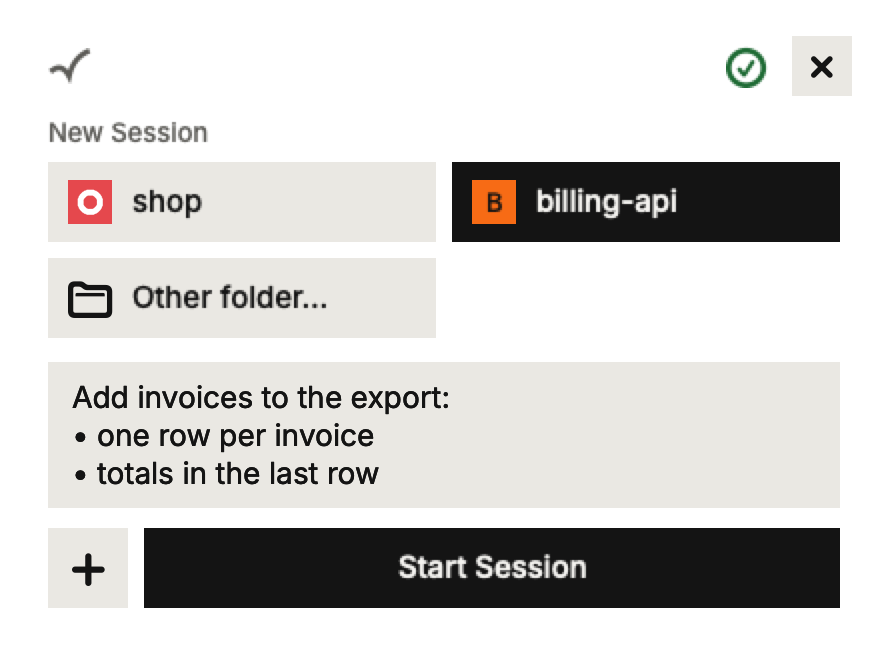
A project shows up in the list once a Session in its folder has sent a Ping. Until then, pick its folder yourself.
Opening the Session in its Harness
Pong doesn't replace Claude Code or Codex. The button with your agent tool's icon, at the top of a Thread, opens the Session in that tool's own app or terminal, where you can see everything the agent did.